
Download Transparent Lock Screen – lock screen, transparent lock, desktop visibility, secure computer, privacy protection, computer security
Overview
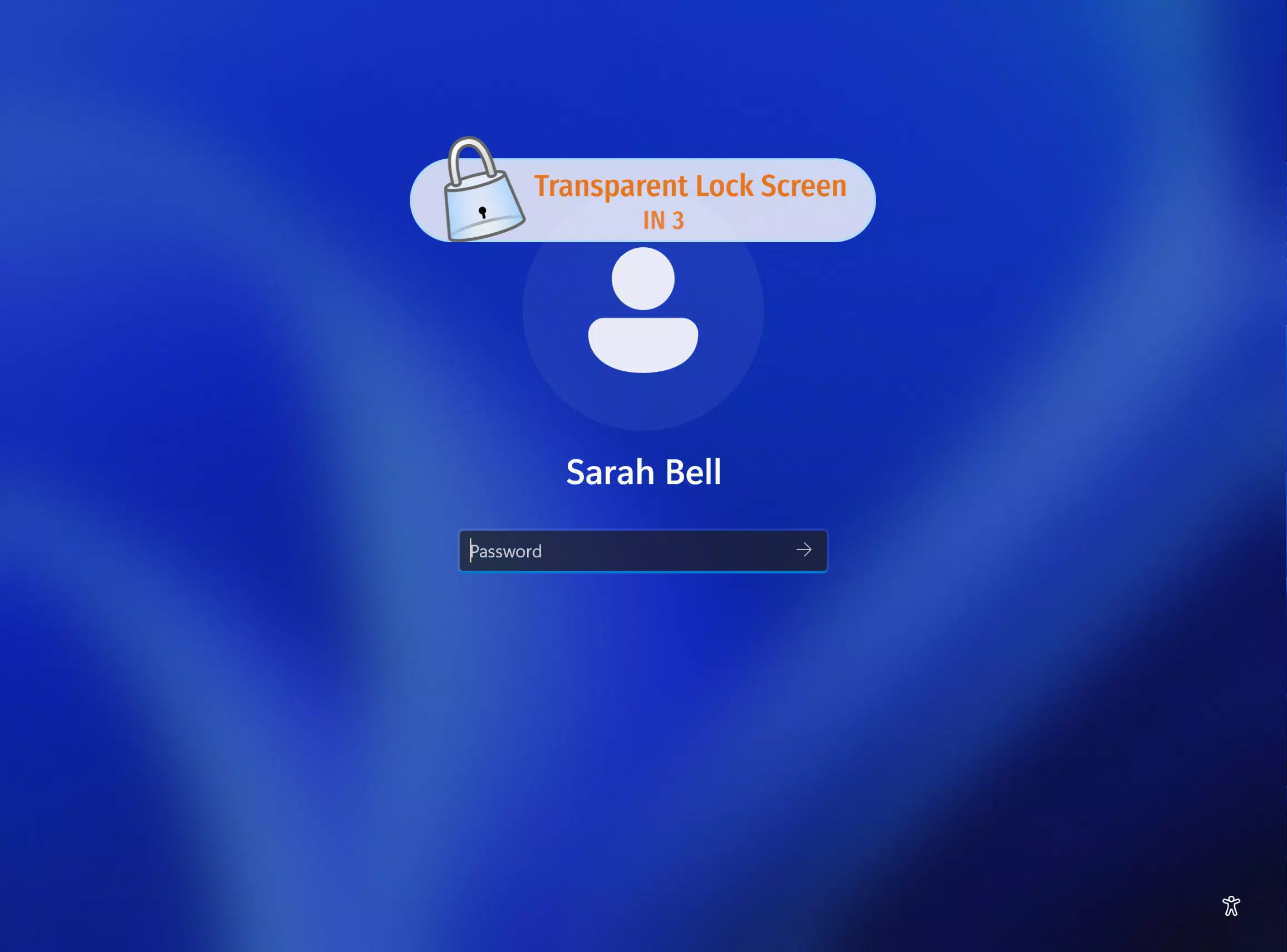
Transparent Lock Screen is a utility application designed for Windows users seeking a secure yet transparent way to lock their computer screens. Unlike traditional lock mechanisms that obscure the desktop entirely, this tool maintains visibility of ongoing tasks and active windows while ensuring the system remains protected from unauthorized access. This unique balance between security and usability makes it particularly valuable for professionals who need to monitor long-running processes—such as data processing, video rendering, or software compilation—without leaving their work exposed.
The app targets users in environments where privacy and real-time visibility are both critical, such as shared workspaces, open offices, or collaborative settings. It allows individuals to step away from their desks briefly while still being able to observe progress, check status updates, or confirm that tasks are running as expected. The developer, Transparent Lock Screen, has focused on creating a lightweight, focused tool that enhances digital security without adding complexity.
Although the developer did not provide additional technical details about their background, the app’s functionality suggests a targeted approach to solving a specific pain point in computer security. Its 15-day free trial offers users a risk-free opportunity to evaluate its effectiveness before committing to a perpetual license at $45 USD. This pricing model supports accessibility for both individual users and small teams looking to improve their workflow security.
Key Features & Functionality
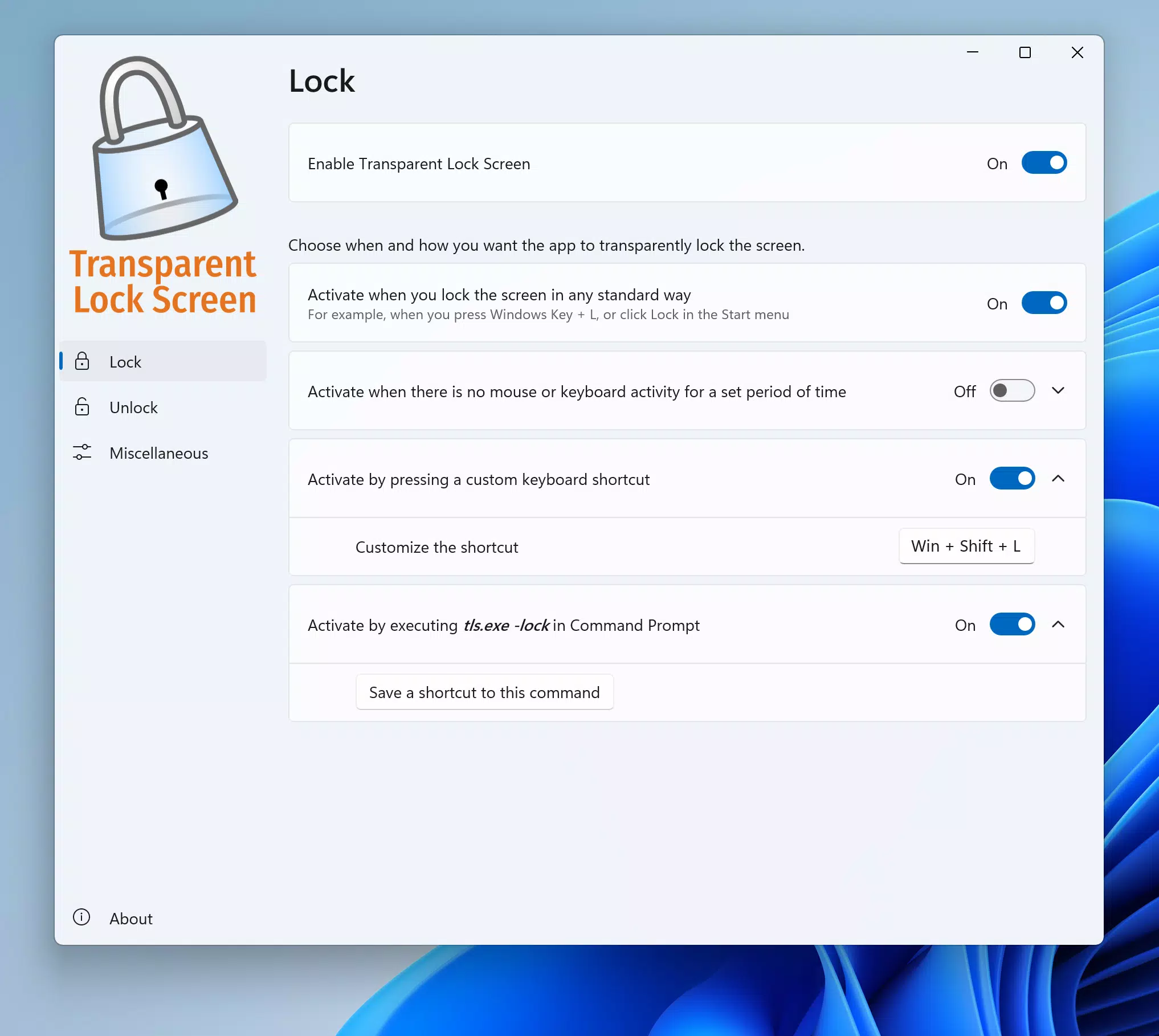
- Multiple Lock Methods: Users can lock the screen using standard shortcuts like Windows Key + L, or through custom-defined triggers. The application also supports activation via command prompt, enabling integration into scripts or automated workflows.
- Idle Time Activation: The screen can be configured to lock automatically after a user-defined period of inactivity, ensuring continuous protection even during unplanned breaks.
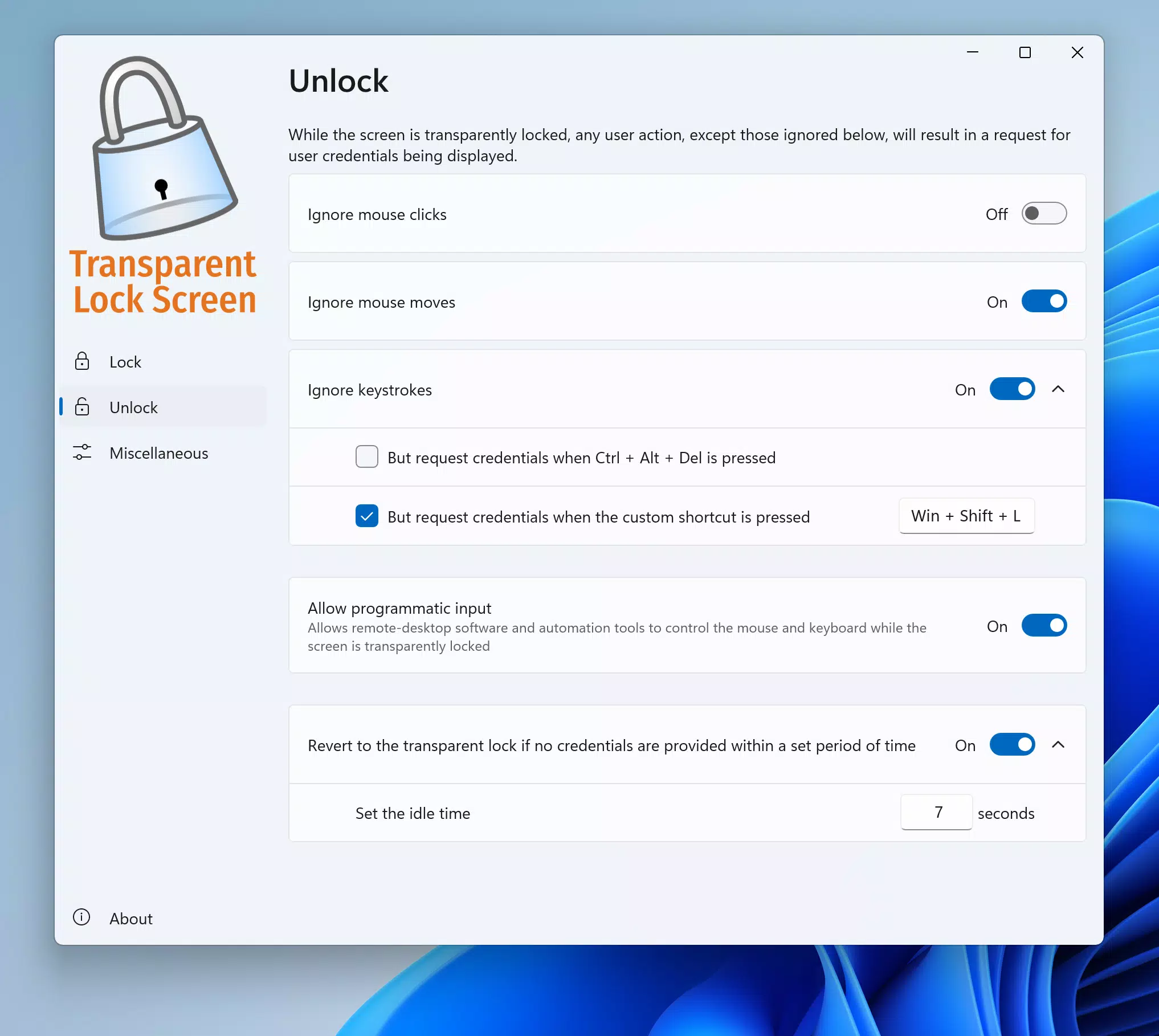
- Custom Unlock Options: Unlocking is possible via mouse movement, keyboard input, or predefined shortcuts. The standard Ctrl + Alt + Del combination is also supported for users prioritizing security.
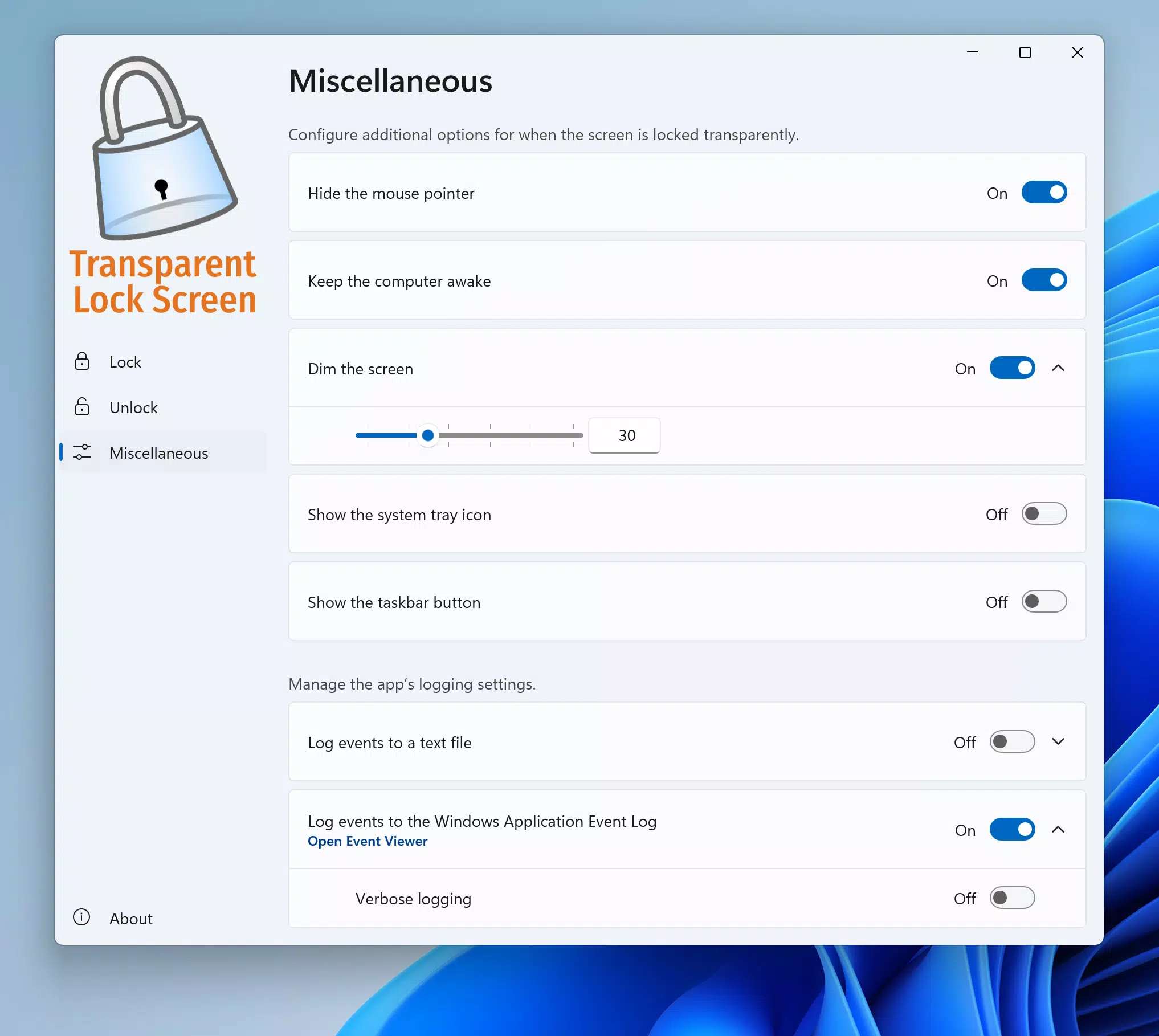
- Adjustable Screen Dimming: A key feature allows users to fine-tune the dimming intensity during lock mode, balancing visibility of desktop content with reduced visual distraction and enhanced focus.
- Activity Logging: Events such as lock and unlock actions can be recorded in a text file or logged in the Windows Event Log, offering traceability for compliance or monitoring purposes.
These features serve practical real-world use cases. For example, a developer compiling code can lock their screen with visible progress indicators, allowing them to leave the desk without interrupting the process. Similarly, a designer working on a long render can monitor completion status without unlocking the system. The combination of security and visibility makes Transparent Lock Screen a distinctive tool in the utilities category.
Interface, UX & Performance
Transparent Lock Screen features a minimalistic interface designed for efficiency and clarity. The application integrates seamlessly into the Windows environment, with a lightweight control panel accessible through the system tray. Navigation is straightforward, allowing users to configure lock settings, dimming levels, and idle timers with few clicks.
Visual design prioritizes functionality over aesthetics, using neutral colors and clear labels to reduce cognitive load. The layout is intuitive, making it accessible to users with varying levels of technical expertise. Although the developer did not list formal performance metrics, the app’s file size of 10.4 MB suggests it is optimized for low resource consumption.
Performance across device categories appears consistent, with the application running smoothly on both modern and legacy Windows systems. Responsiveness is maintained during lock and unlock cycles, with minimal lag. Stability is evident in the absence of reported crashes or memory leaks. The application does not interfere with background processes, ensuring that ongoing tasks continue uninterrupted during lock mode.
Platform Compatibility & Technical Requirements
Transparent Lock Screen is designed exclusively for the Windows platform. It requires a compatible version of Windows, though specific OS requirements were not listed by the developer. The app has a file size of 10.4 MB, indicating a lightweight footprint suitable for systems with limited storage capacity.
Version 1.2.0 was released on March 15, 2024. The app is available for download and installation on desktop systems running Windows. Compatibility information was not fully disclosed, so users should ensure their system meets general Windows compatibility standards. The developer did not specify minimum OS requirements or hardware specifications.
Pros and Cons
Pros
- Unique transparent lock mechanism that preserves desktop visibility.
- Flexible lock and unlock options to suit different workflows.
- Idle time auto-lock enhances security during absences.
- Adjustable screen dimming improves usability and focus.
- Activity logging supports compliance and monitoring needs.
Cons
- Only available for Windows, limiting cross-platform use.
- Developer did not disclose minimum OS or hardware requirements.
- Price point of $45 may be high for casual users.
- No built-in update notifications or automatic update support.
- Interface lacks advanced customization options beyond core settings.
FAQ
Is Transparent Lock Screen safe to install?
Yes, the application is designed to operate within standard Windows security protocols. It does not require elevated permissions beyond those needed for screen locking and system integration.
Can I use Transparent Lock Screen on multiple computers?
The perpetual license allows installation on a single computer. For use across multiple devices, additional licenses would be required, though the developer did not specify multi-device policies.
Does Transparent Lock Screen work with remote desktop connections?
The app functions locally on the machine where it is installed. Its behavior during remote sessions may vary depending on the remote access software used.
How do I activate the free trial?
The trial is activated upon first launch. Users can access full functionality for 15 days before being prompted to purchase a license.
Is there a mobile version of Transparent Lock Screen?
No mobile version is available. The application is designed exclusively for Windows desktop systems.
Final Thoughts
Transparent Lock Screen delivers a rare blend of security and visibility, addressing a niche but valuable need in the digital workspace. Its ability to lock the screen while preserving desktop content sets it apart from conventional tools. This makes it ideal for professionals in creative, technical, or data-intensive fields who require constant oversight without compromising privacy.
While the $45 price tag may deter casual users, the app’s functionality justifies the cost for those who rely on uninterrupted workflows and enhanced security. The inclusion of idle auto-lock, customizable unlocking, and activity logging adds layers of practical utility. Although some technical details remain undisclosed, the app performs reliably within its intended scope.
For users seeking a secure, efficient way to manage their desktop sessions, Transparent Lock Screen offers a compelling solution. Its thoughtful design and focused feature set reflect a deep understanding of real-world user challenges.
Download Transparent Lock Screen now


